
Swipe to archive an item in a list
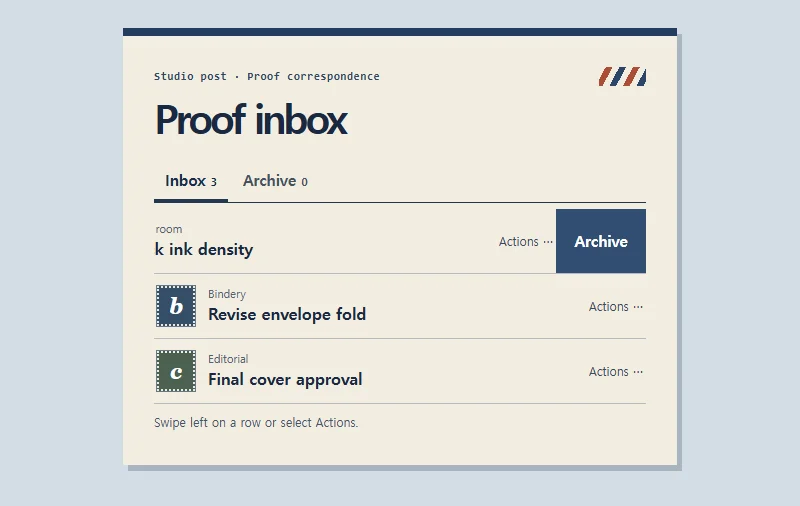
Swipe a letter to the left to reveal its Archive button. Selecting Archive moves the letter out of the inbox so you can keep working through the list.
 Try the motion
When to use it
Use this pattern in an inbox or review queue where people handle one item and immediately move on to the next.
How the motion works
In this example, a leftward swipe of at least 38px reveals a 90px action area. Only one row opens at a time. The letter moves to the archive when you choose Archive.
How to use it
- Touch
- Swipe left on a letter or tap its action button. Open the archive to return a letter to the inbox.
- Mouse and keyboard
- Open the row’s action button, then press Tab to reach Archive. Escape closes the row. After archiving, focus moves to a remaining letter or the active list tab.
Example files and implementation notes
Choose a device in the demo and save the motion to your collection to download the working HTML and implementation notes as a ZIP.